
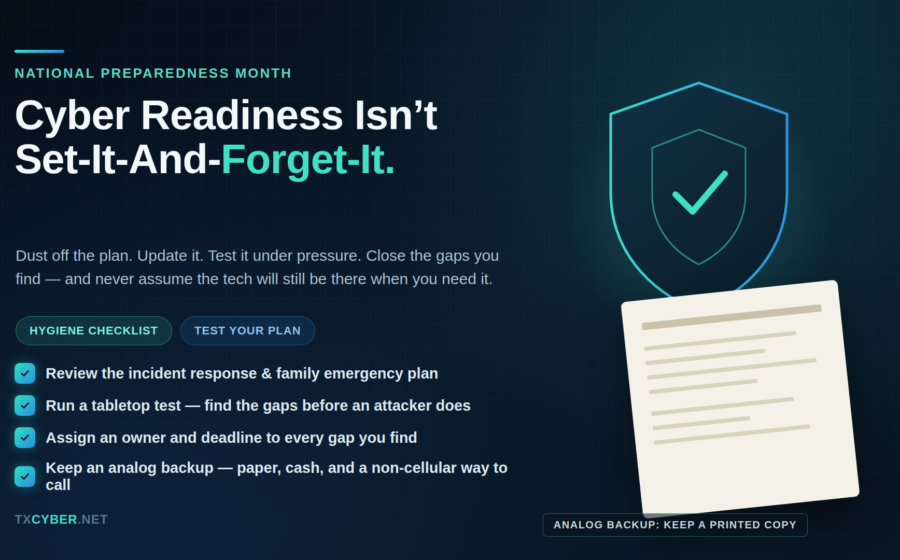
September is National Preparedness Month, and most of the messaging around it — go-bags, water supplies, family meeting points — is built for hurricanes, wildfires, and power outages. That’s the right instinct. But in 2026, a ransomware attack can shut down a hospital, a city government, or a small manufacturer just as completely as a storm can. The difference is that far fewer of us have a plan for it, and even fewer have actually tested the plan we do have.
If your organization (or your household) wrote an incident response plan or a family emergency plan more than a year ago and hasn’t looked at it since, that plan is closer to a historical document than a working tool. This month is a good excuse to change that.
Start With the Basics: A Cyber Hygiene Checklist
Before you touch the emergency plan itself, make sure the everyday fundamentals are actually in place. Most breaches don’t start with a sophisticated zero-day — they start with something on this list being skipped:
- Multi-factor authentication (MFA) on email, banking, VPN, and any admin accounts. If it’s not phishing-resistant (hardware keys or authenticator apps over SMS), upgrade it where you can.
- Unique, strong passwords managed through a password manager — not reused across accounts, not stored in a browser autofill you’ve never audited.
- Patched systems and software. Check that automatic updates are actually turned on for operating systems, browsers, and firmware on routers and IoT devices — not just servers.
- Backups that are tested, not just scheduled. A backup you’ve never restored from is a hope, not a backup. Confirm at least one recent backup restores cleanly, and keep at least one copy offline or air-gapped.
- Least-privilege access. Review who has admin rights on business systems and shared family devices. Remove access for former employees, old contractors, and accounts nobody remembers creating.
- Email filtering and phishing awareness. Run a phishing simulation if you’re a business; at home, have a real conversation about how to spot a fake bank or delivery text.
- An inventory of what you actually have — devices, accounts, cloud services, smart home gear. You can’t protect what you’ve forgotten exists.
None of this is exotic. It’s maintenance. But maintenance is exactly the thing that slips when there’s no forcing function — which is what National Preparedness Month is for.
Dust Off the Plan & Actually Test It
Every organization should have an incident response plan. Many families should have some version of a digital emergency plan too — who to call if identity theft happens, where account recovery information lives, what to do if a phone is lost or a home network is compromised. The problem isn’t usually that these plans don’t exist. It’s that they were written once, filed away, and never revisited while the environment around them changed — new vendors, new staff, new systems, new threats.
This month, pull the plan out and run it through three questions:
- Is it still accurate? Contact lists, system diagrams, vendor escalation paths, and legal/insurance contacts go stale fast. A plan that lists the wrong on-call number or a decommissioned system isn’t just unhelpful during an incident — it burns time you don’t have.
- Has it been tested? A tabletop exercise, even a short one, will expose gaps that a document review never will. Walk through a realistic scenario — a ransomware note on a shared drive, a compromised admin account, a family member’s identity stolen — and see where the plan breaks down in practice versus on paper.
- What gaps did the test surface, and who owns fixing them? A gap without an assigned owner and a deadline just becomes next year’s identical finding. Write down what broke, assign it to a specific person, and set a real date to close it — not “sometime this quarter.”
Do this every year, not just this month. Threats, staff, and systems all change faster than most plans get updated.
The Fatal Flaw: Assuming the Tech Will Work
Here’s the piece that gets skipped most often, both in corporate incident response plans and in household emergency planning: what happens when the technology itself is the thing that’s down?
A lot of emergency plans assume you’ll have a working laptop, internet access, or a functioning phone to execute them. That’s a dangerous assumption during exactly the kind of event the plan exists for. Ransomware can lock every workstation in a building. A regional outage can take down cell service and Wi-Fi at the same time. If your incident response plan lives only in a shared drive that ransomware just encrypted, or your family’s emergency contacts exist only in a phone that’s dead or bricked, the plan fails at the exact moment you need it.
The fix is unglamorous but essential: keep an analog backup of anything critical to your response.
- A printed copy of the incident response plan, contact list, and system diagrams, stored somewhere other than the network it describes.
- Printed or written emergency contacts, account recovery details (stored securely), and a physical map of your home network and devices.
- A landline, backup battery radio, or other non-cellular way to reach people if networks go down.
- Cash on hand and paper copies of key documents (insurance, ID, medical info) — the same logic that applies to hurricane prep applies here.
Over-reliance on technology isn’t a hypothetical risk. It’s the single most common reason well-designed plans fail during the incidents they were built for.
The Takeaway
National Preparedness Month is a reminder, not a checkbox. Run the hygiene checklist. Pull out the plan, test it against a real scenario, write down what breaks, and fix it with an owner and a date attached. And build in an analog fallback for the moments when the technology you’re depending on is the thing that fails first. Readiness isn’t the plan sitting in a folder — it’s the plan you’ve actually rehearsed.